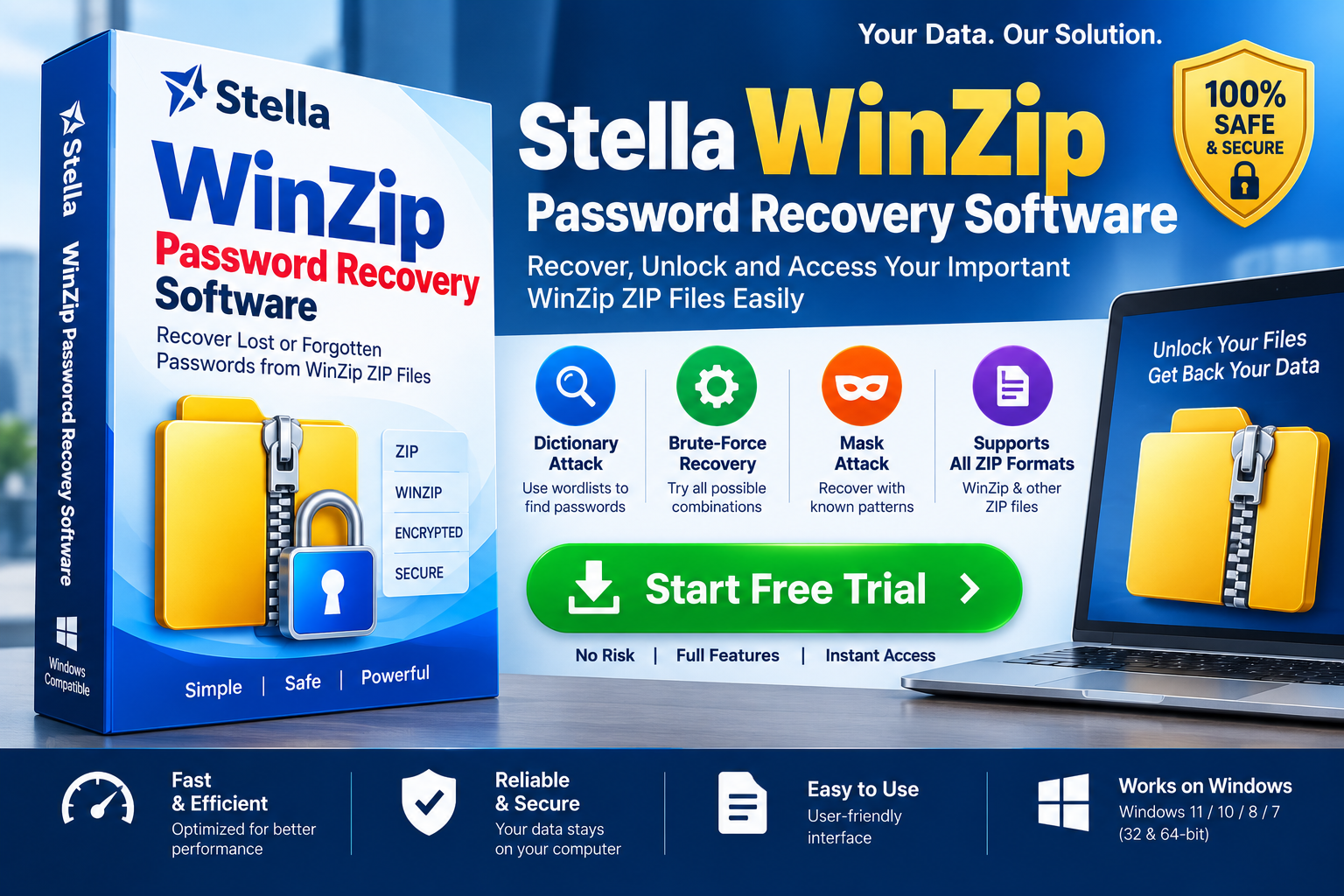
Forgetting the password of a ZIP archive can be frustrating, especially when the file contains important documents, backups, project files, or old business records. A password-protected archive may remain completely inaccessible until the correct password is supplied. In such situations, WinZip Password Recovery Software can provide a structured way to attempt recovery of a forgotten password.
But what exactly is this type of software, how does it work, and when should you use it? This guide explains the concept in simple language while also covering the technical aspects that matter when evaluating a password-recovery solution.
Quick Answer: WinZip Password Recovery Software is a specialized utility designed to help authorized users recover forgotten or lost passwords for password-protected ZIP archives by testing possible password candidates using methods such as dictionary, brute-force, or mask-based recovery.
What Is WinZip Password Recovery Software?
WinZip Password Recovery Software refers to a category of tools designed to help recover passwords associated with encrypted ZIP archives.
A ZIP file can contain one or many files compressed into a single archive. When password protection is applied, the contents may also be encrypted. Without the correct password, the encrypted content cannot normally be extracted.
Dedicated recovery software does not simply “remove” strong encryption. Instead, it generally works by generating possible passwords and testing them against the archive until a valid password is identified.
The process can be represented simply as:
Password-Protected ZIP → Password Candidates → Verification → Matching Password → Archive Access
The actual process and supported encryption methods vary between applications.
Why Do People Need ZIP Password Recovery Software?
There are several legitimate situations in which someone may need to recover an old ZIP password.
Forgotten Personal Passwords
Users may create a ZIP archive years ago and later forget the password they selected.
Lost Password Records
A password may have been stored in an old password manager, notebook, email, or computer that is no longer available.
Legacy Business Archives
Organizations sometimes maintain older ZIP archives containing documents, reports, invoices, or project files.
Old Backups
Backup archives can remain unused for long periods. When someone eventually needs to access them, the original password may no longer be known.
Password Pattern Changes
People often change passwords over time. Remembering that an old password followed a particular pattern can help narrow the recovery search.
Recovery should only be attempted on archives you own or are explicitly authorized to access.
How Does WinZip Password Recovery Work?
The important thing to understand is that password recovery is fundamentally a search problem.
Suppose you remember that your forgotten password contained a particular word and four numbers. Instead of testing every possible password, a recovery tool may allow you to define those known characteristics.
The software then creates candidate passwords and checks them systematically.
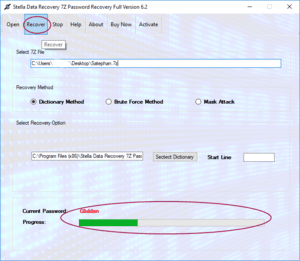
Common recovery approaches include:
1. Dictionary-Based Recovery
A dictionary attack uses a list of words or previously known password candidates.
For example, if you believe the password was based on a company name, project name, or familiar word, a relevant wordlist may reduce the search space.
This method can be considerably more efficient than testing every possible character combination.
2. Brute-Force Recovery
Brute-force recovery systematically tests combinations from a selected character set.
The character set might include:
- Lowercase letters
- Uppercase letters
- Numbers
- Special characters
The disadvantage is that the number of combinations can increase dramatically as password length increases.
3. Mask-Based Recovery
Mask recovery is useful when you remember part of the password.
For example, you might know:
- The first few characters
- Approximate password length
- Whether numbers were included
- The position of certain characters
The software can use those known characteristics to reduce unnecessary combinations.
4. Combination-Based Recovery
Some tools can combine words, numbers, or known patterns to create password candidates.
This can be useful when the password was constructed from multiple familiar elements.
Is WinZip Password Recovery the Same as Removing a Password?
No. Password recovery and password removal are different concepts.
Password removal generally means disabling protection when the archive can already be opened or when the encryption can legitimately be changed.
Password recovery, by contrast, attempts to determine the password needed to authenticate an encrypted archive.
For a properly encrypted archive, simply changing the filename from:
archive.zip
to:
archive.rar
or:
archive.txt
will not remove the password.
Likewise, renaming an archive or opening it with a different compression application does not inherently bypass encryption.
Can Every ZIP Password Be Recovered?
No. Password recovery is not guaranteed.
The difficulty depends heavily on the password’s characteristics.
A short and predictable password may have a relatively manageable search space. A long, random password containing many character types can have an enormous number of possible combinations.
For example, if a password uses a character set of size N and has length L, the theoretical number of combinations for an unrestricted brute-force search is approximately:
Nᴸ
This explains why password length and complexity matter so much.
A recovery tool can systematically test candidates, but it cannot magically reconstruct a sufficiently strong password instantly.
What Features Should Good Password Recovery Software Have?
If you are evaluating WinZip Password Recovery Software, consider its technical capabilities rather than relying only on marketing claims.
ZIP Compatibility
The software should clearly state which ZIP/archive structures and encryption types it supports.
Multiple Recovery Modes
Support for dictionary, brute-force, mask, or combination-based methods provides more flexibility.
Custom Password Rules
If you remember part of the password, custom rules can help reduce the search space.
Progress Monitoring
A clear progress indicator allows users to understand whether the recovery process is still running.
Pause and Resume
Long recovery operations may take considerable time. Pause/resume functionality can be useful for managing system resources.
Performance Optimization
Efficient CPU utilization and, where supported, hardware acceleration can improve candidate-testing performance.
Preview or Verification
A useful application should provide a clear way to verify whether the recovered password successfully opens the archive.
Windows Compatibility
Users should check compatibility with their specific Windows version before installation.
How to Choose the Best WinZip Password Recovery Software
The “best” software depends on the recovery situation.
For example, if you remember most of your password, a tool with mask-based recovery may be more useful than one focused exclusively on unrestricted brute-force searches.
If you have no useful password clues, you may need broader recovery methods.
Before choosing a product, consider:
- Supported ZIP formats
- Supported encryption methods
- Recovery modes
- Password-length options
- Custom masks
- Dictionary support
- Processing performance
- Pause/resume capability
- Ease of use
- Windows compatibility
- Data privacy
- Trial or demo availability
- Vendor support
Avoid software that promises guaranteed recovery of every password. Such claims are unrealistic because recovery difficulty depends on the underlying password and encryption.
Free vs. Professional WinZip Password Recovery Software
Users often search for free WinZip password recovery software, particularly when they have only one archive to process.
Free tools may be suitable for basic experimentation, but they can have limitations such as:
- Restricted password length
- Limited recovery modes
- Lower performance
- No batch processing
- Limited technical support
- Fewer configuration options
Professional software may provide additional features for users dealing with larger archives or more complex recovery requirements.
Before purchasing, check whether a trial version allows you to determine whether the software recognizes your archive and provides the recovery features you actually need.
Can You Recover a ZIP Password Without WinZip?
In some cases, yes. Dedicated ZIP password-recovery applications may process supported ZIP archives independently of the WinZip application.
This can be useful if:
- WinZip is not installed.
- The original computer is unavailable.
- You only have the ZIP archive.
- You are working on a different Windows computer.
However, compatibility varies. Always check the recovery application’s documentation before beginning the process.
Is Online ZIP Password Recovery Safe?
Online password-recovery services deserve careful consideration.
If a ZIP archive contains:
- Personal documents
- Financial records
- Business information
- Customer data
- Confidential projects
uploading the archive to an unknown third-party server may create unnecessary privacy risks.
For sensitive information, a reputable local recovery application can be preferable because the archive remains on your own computer during processing.
Always review the vendor’s privacy and security policies before using any recovery service.
Simple Example for Beginners
Imagine you created a ZIP file five years ago and protected it with a password.
You remember:
- It contained a project name.
- The password probably included that project name.
- You may have added numbers at the end.
Instead of testing millions of completely random combinations, a recovery tool can use those clues to create more targeted password candidates.
In simple terms:
What you remember → Recovery rules → Password candidates → Verification → Possible recovery
The more useful information you remember, the smaller the search space can become.
Best Practices Before Starting Password Recovery
Before running recovery software, follow these steps:
Make a Copy
Keep the original ZIP archive untouched and perform recovery on a duplicate when practical.
Write Down Your Clues
Record anything you remember about the password:
- Words
- Numbers
- Symbols
- Approximate length
- Capitalization
- Possible patterns
Verify the Archive
Make sure you are working with the correct ZIP file and that it is not damaged.
Use Legitimate Software
Download recovery tools from reputable vendors and avoid suspicious “cracked” applications.
Be Patient
Password recovery can take time, especially when the search space is large.
Frequently Asked Questions
What is WinZip Password Recovery Software?
It is specialized software designed to help authorized users recover forgotten passwords associated with supported password-protected ZIP archives.
Can I recover a forgotten WinZip password?
Possibly. Recovery depends on factors such as password complexity, available clues, archive compatibility, and available computing resources.
Is ZIP password recovery guaranteed?
No. A long, random password may be computationally impractical to recover.
How long does password recovery take?
It can range from a relatively short period to an impractically long time depending on the search space and hardware.
Can I open a password-protected ZIP without the password?
Strongly encrypted archives generally require successful authentication with the correct password. Recovery software attempts to identify that password rather than simply bypassing encryption.
Is free ZIP password recovery software available?
Yes, various free and trial-based tools exist, although their supported features and recovery capabilities vary.
Conclusion
WinZip Password Recovery Software is designed to help users regain access to authorized password-protected ZIP archives when the original password has been forgotten or lost. Rather than simply removing encryption, recovery software generally generates and tests password candidates using techniques such as dictionary, brute-force, mask, and combination-based recovery.
The right solution depends on the information you remember about the password, the archive’s encryption characteristics, and the computing resources available. When evaluating a tool, prioritize ZIP compatibility, multiple recovery methods, customization options, performance, privacy, Windows compatibility, and transparent limitations.