Email migration is an important task for businesses, IT administrators, and individual users who need to move mailbox data between email platforms. Microsoft Outlook stores offline mailbox data in OST (Offline Storage Table) files. These files can contain emails, attachments, contacts, calendars, and other mailbox items. However, migrating OST data can become challenging when an Outlook profile is unavailable, an Exchange account is disconnected, or users need to move mailbox information to another email client.
Choosing the right OST conversion software for email migration can simplify this process. A suitable tool can help users extract accessible mailbox data, convert supported items into a compatible format, and prepare emails for import into another email application, such as Mozilla Thunderbird.
This guide explains the essential features, selection criteria, migration workflow, and common mistakes to consider when evaluating OST conversion software.
What Is OST Conversion Software?
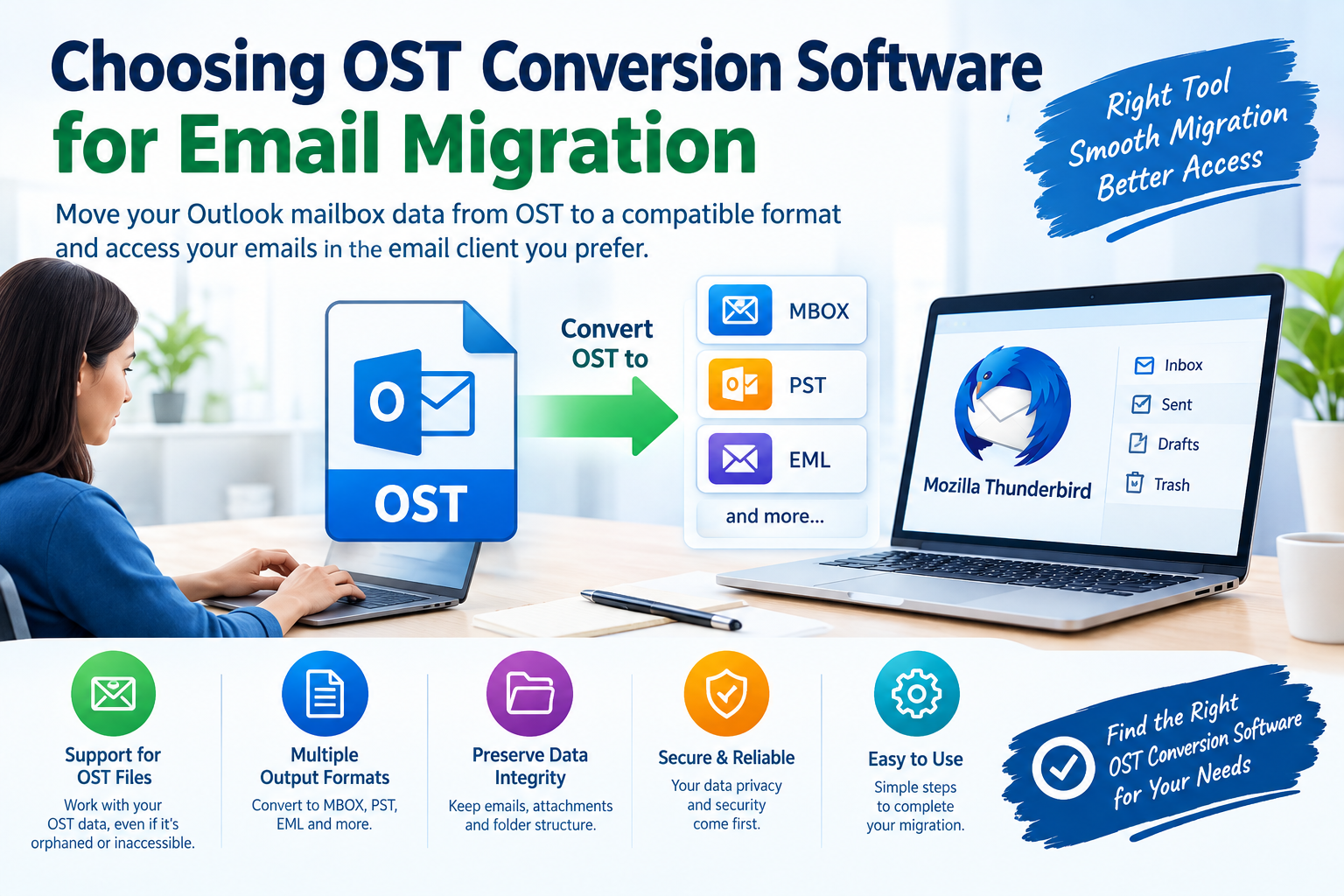
OST conversion software is a utility designed to extract mailbox information from an Outlook OST file and convert supported data into another format, such as PST, MBOX, EML, or another supported output type.
The purpose of conversion depends on the user’s migration requirements. For example:
- OST to PST: Useful when transferring mailbox data into a compatible Outlook data file.
- OST to MBOX: Useful when migrating email data to applications that support the MBOX format, including Thunderbird.
- OST to EML: Useful when individual emails need to be stored as separate files.
- OST to other supported formats: Helpful when the destination application requires a different mailbox format.
Not every converter supports every output format or mailbox item. Users should confirm format compatibility before purchasing software.
It is also important to understand that an OST file is not always a complete, independent backup. Some OST files are associated with a particular Outlook profile and Exchange or Microsoft 365 account. Conversion results depend on the file’s condition, encryption, accessibility, and the software’s capabilities.
Why Is OST Conversion Needed During Email Migration?
Several situations can make OST conversion necessary.
1. Moving Email to Another Email Client
Users switching from Outlook to Thunderbird or another email application may need to convert mailbox data into a format supported by the destination client. For Thunderbird, MBOX can be a suitable option when the selected migration workflow supports it.
2. Accessing Data from an Orphaned OST File
An orphaned OST file may remain after an Outlook profile has been deleted, an account has been disconnected, or a computer has been replaced. In some cases, users can reconnect the original account and synchronize the mailbox. When that is not possible, specialized software may help recover accessible data from the OST file.
3. Migrating Mailbox Data to a New Computer
When changing computers or email environments, users may need to transfer historical messages and attachments. Conversion software can help prepare data for a compatible destination, but users should verify whether account settings, contacts, calendars, and other non-email items are supported.
4. Creating an Independent Copy of Mailbox Data
Converting an OST file to a portable format can help preserve accessible email data for migration or archival purposes. However, conversion should not replace a properly configured backup strategy.
Essential Features to Look for in OST Conversion Software
Before choosing a tool, evaluate the following features.
1. Support for the Required Output Format
The most important consideration is whether the software supports your destination format. If your goal is to migrate Outlook emails to Thunderbird, look for verified OST-to-MBOX support.
If you are moving data to another Outlook installation, OST-to-PST functionality may be more appropriate. Avoid selecting software based only on a general claim that it supports OST conversion.
2. Orphaned OST File Support
If you no longer have access to the original Outlook profile or account, check whether the tool can process orphaned OST files.
A trustworthy product description should explain its limitations clearly. Some files may be inaccessible because of corruption, encryption, or missing mailbox data. No converter can guarantee successful recovery from every OST file.
3. Email and Attachment Preservation
Email migration is not simply about converting a file extension. Important message properties may include:
- Sender and recipient information
- Email subject and timestamps
- Message body and formatting
- File attachments
- Folder structure
- Read and unread status, where supported
Check whether the software preserves the properties that matter to your workflow. Test a representative sample before migrating an entire mailbox.
4. Preview and Selective Export
A preview feature allows users to inspect accessible mailbox items before conversion. Selective export can be useful when only specific folders, messages, or date ranges need to be migrated.
These features can reduce unnecessary exports and make it easier to validate the results.
5. Compatibility with Your Operating Environment
Review the supported Windows versions, Outlook versions, OST file types, and destination applications. If the software requires Outlook to be installed, confirm that requirement before purchasing.
Users should also check whether the tool can process their particular OST file without connecting to the original mail server.
6. Data Security and Privacy
Mailbox files may contain confidential business communications and personal information. Prefer software from a reputable vendor that explains how data is processed, whether files are uploaded, and what permissions are required.
For sensitive organizational mailboxes, review internal security policies before using third-party conversion tools.
7. Transparent Pricing and Trial Limitations
A free trial can help users evaluate the interface, preview features, and conversion quality. However, trial versions may restrict the amount of data that can be exported.
Before buying, check the license type, supported features, refund policy, technical support, and any limitations on file size or export volume.
How to Choose the Right OST Converter: Step-by-Step
Use this practical checklist to narrow down your options.
Step 1: Identify the source file. Determine whether the OST file is accessible through its original Outlook profile or is orphaned, disconnected, or damaged.
Step 2: Confirm your destination. Decide whether you need PST for Outlook, MBOX for a compatible email client, or EML for individual messages.
Step 3: Check feature compatibility. Verify that the software supports your OST file and required output format. Do not assume all tools support every OST condition.
Step 4: Test the software. If a trial is available, preview your mailbox and test a small conversion. Check message formatting, attachments, dates, and folder organization.
Step 5: Compare total costs. Evaluate the complete license cost against the features you actually need. Consider support and future migration requirements, not just the advertised price.
Step 6: Validate the converted data. Open the output in the destination application and confirm that representative messages and attachments are readable.
Step 7: Keep the original file. Preserve an untouched copy of the OST file until you have verified the migration and established a reliable backup.
Common Mistakes to Avoid
Choosing OST conversion software without checking compatibility can lead to wasted time and unexpected costs. Avoid these common mistakes:
- Buying software before confirming the required output format.
- Assuming every orphaned or corrupted OST file is recoverable.
- Overlooking attachments, contacts, calendars, or folder preservation.
- Trusting advertised recovery claims without testing the software.
- Deleting the original OST file immediately after conversion.
- Ignoring trial restrictions, license terms, or privacy requirements.
- Assuming that converting emails also transfers account passwords, server settings, or authentication credentials.
A careful evaluation can help reduce migration risks and make the process more predictable.
Frequently Asked Questions
What is the best OST conversion software for email migration?
The best option depends on your source file, destination format, required mailbox items, budget, and security requirements. Compare verified format support, preview functionality, conversion accuracy, trial limitations, and vendor support before choosing a product.
Can OST conversion software convert an orphaned OST file?
Some specialized tools support orphaned OST files, but success depends on the file’s condition and accessibility. If the original account is still available, reconnecting Outlook and synchronizing the mailbox may be a simpler option.
Can I convert OST to MBOX for Thunderbird?
Yes, if the selected software explicitly supports OST-to-MBOX conversion. After conversion, import the resulting MBOX data using a Thunderbird-compatible import method and verify the migrated messages.
Is free OST conversion software reliable?
Free tools may be sufficient for limited tasks, but features, supported formats, file-size limits, and export restrictions vary. Test the software with sample data before relying on it for a complete migration.
Does OST conversion preserve attachments?
Many conversion tools offer attachment preservation, but results vary. Test messages containing different attachment types and confirm that the files open correctly after migration.
Is OST conversion the same as email backup?
No. Conversion prepares data for another format or application, while backup focuses on maintaining a recoverable copy. For important mailboxes, keep an independent backup even after successful conversion.
Conclusion
Choosing OST conversion software for email migration requires more than comparing prices or promotional claims. Users should identify the required destination format, confirm support for their specific OST file, evaluate attachment and folder preservation, review security practices, and test the output before completing the migration.
For Outlook-to-Thunderbird migration, verified OST-to-MBOX support is particularly important. For Outlook-to-Outlook transfers, OST-to-PST functionality may be more suitable. In either case, retaining the original file and validating the converted mailbox are essential precautions.
Ready to simplify your email migration? Evaluate a compatible OST conversion tool using a free trial, if avaable, and confirm that it meets your migration requirements before purchasing. Choose a solution that offers transparent limitations, dependable support, and the features your mailbox actually needs.il