Gmail is one of the most widely used email services for personal communication, business correspondence, customer support, and professional collaboration. But keeping emails in the cloud does not mean your data is completely protected. Accidental deletion, account issues, synchronization problems, policy changes, or migration requirements can make an independent backup extremely valuable.
This is where Gmail IMAP Backup Software can help. It allows users to create a local copy of Gmail mailbox data through the IMAP protocol and preserve important emails and related mailbox information in accessible formats.
Whether you are an individual user, IT administrator, or business professional, understanding how Gmail IMAP backup works can help you create a reliable email data-protection strategy.
What Is Gmail IMAP Backup Software?
Gmail IMAP Backup Software is a specialized application designed to download and save email data from a Gmail account using IMAP connectivity.
IMAP, or Internet Message Access Protocol, is commonly used to access and synchronize messages stored on an email server. Unlike a simple email export, dedicated backup software can provide additional controls for selecting accounts, folders, date ranges, and output formats.
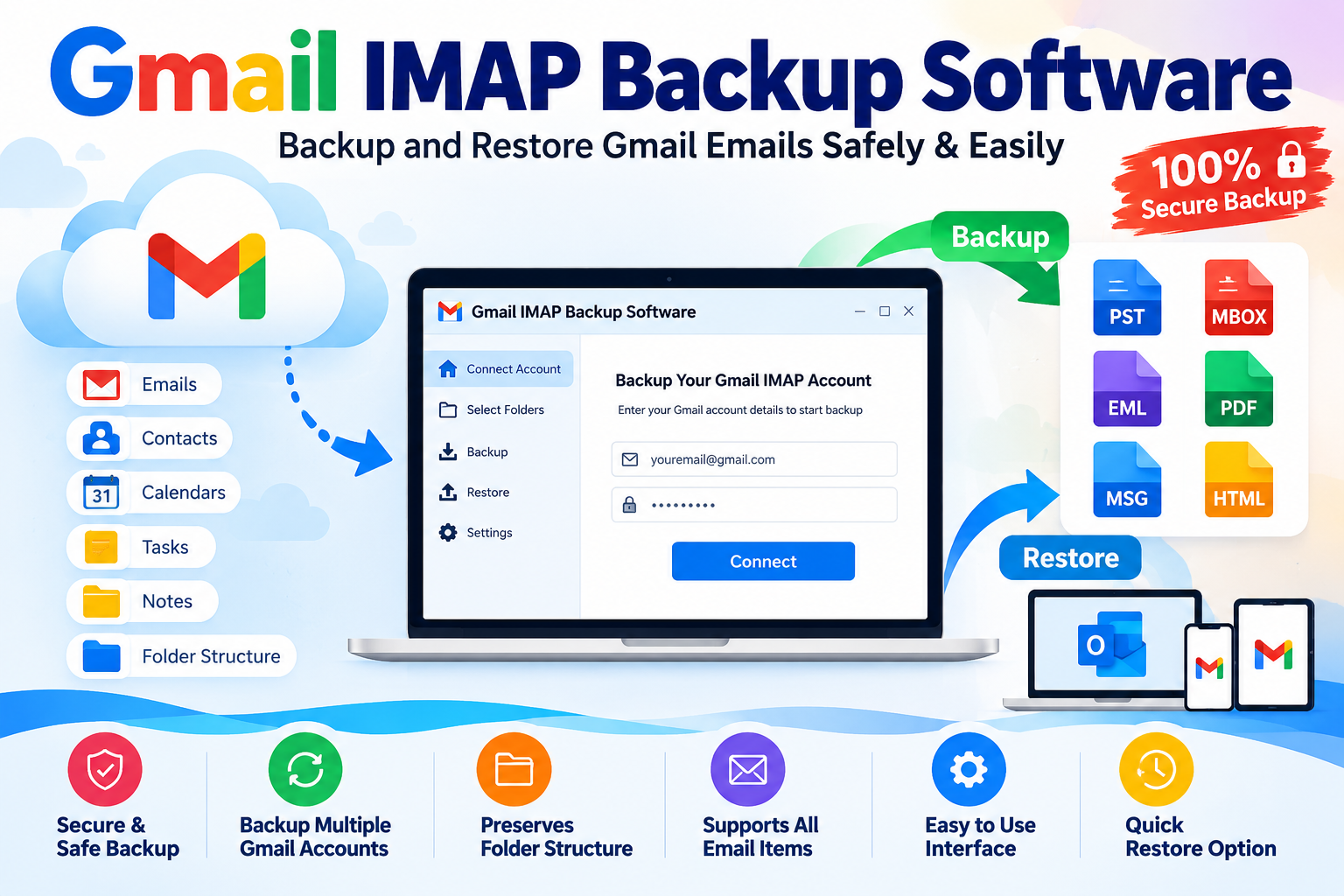
Depending on the software, users may be able to save Gmail emails into formats such as:
- PST
- MBOX
- EML
- MSG
- HTML
The available formats and features vary between software products.
In simple terms, IMAP backup software creates a separate copy of your Gmail data so that you are not completely dependent on the online mailbox.
Why Should You Back Up Gmail Emails?
Gmail provides reliable cloud-based email storage, but users may still need an independent backup for different reasons.
1. Protection Against Accidental Deletion
An important email can be deleted accidentally. A separate backup provides another copy that can potentially be accessed later.
2. Business Data Protection
Businesses often rely on email for contracts, invoices, customer communications, project information, and internal discussions. Maintaining an independent backup can support business continuity and archival requirements.
3. Email Migration
When moving from Gmail to another email platform, locally backed-up data can provide an additional layer of protection during migration.
4. Local Archiving
Some users want to maintain historical email records on their own computer or storage system instead of relying exclusively on cloud access.
5. Multiple Account Management
Organizations may need to back up multiple Gmail or IMAP accounts. Professional backup software can simplify repetitive backup operations.
How Does Gmail IMAP Backup Software Work?
The basic workflow is straightforward.
First, the software establishes a connection with the Gmail account using IMAP credentials or an authorized authentication method. After authentication, it retrieves mailbox folders and available messages.
The user can then select the folders or data they want to back up. Depending on the application, options may include Inbox, Sent, Drafts, Trash, custom folders, and other available mail folders.
The selected information is downloaded and saved in the chosen output format.
A typical process looks like this:
Gmail Account → IMAP Connection → Mailbox Selection → Data Retrieval → Local Backup → Restore or Access
The actual authentication process depends on Gmail’s current account-security requirements and the specific software being used.
Key Features of Gmail IMAP Backup Software
A professional Gmail IMAP backup tool may offer several useful features.
Selective Backup
Instead of downloading everything, users can select specific folders, accounts, or date ranges. This can reduce unnecessary storage consumption.
Multiple Account Backup
Organizations managing several email accounts may benefit from software that supports multiple IMAP accounts.
Folder Structure Preservation
Preserving the original mailbox hierarchy makes the backup easier to organize and use later.
Attachment Preservation
Important business emails frequently contain documents, images, invoices, and other attachments. A capable backup solution should preserve supported attachments during export.
Multiple Export Formats
Different users have different requirements. PST may be useful for Outlook users, while MBOX can be appropriate for certain email applications. EML and other formats can provide individual-message access.
Incremental or Repeat Backups
Some applications provide options for performing repeated backups without unnecessarily processing previously backed-up data.
Filtering
Advanced filtering can allow users to select messages based on criteria such as dates, folders, or other available parameters.
Gmail IMAP Backup Software vs Manual Backup
Users can manually save or export Gmail messages, but manual processes can become inconvenient when handling large mailboxes or multiple accounts.
| Feature | Manual Backup | IMAP Backup Software |
|---|---|---|
| Large mailbox handling | Time-consuming | Designed for bulk processing |
| Multiple accounts | Difficult | Often supported |
| Selective folders | Limited | Commonly available |
| Output formats | Limited | Multiple formats may be available |
| Automation | Limited | May be supported |
| Repeated backup | Manual | Easier with dedicated tools |
| Technical knowledge | Can vary | Usually simplified |
For occasional backup of a few messages, manual methods may be sufficient. For larger mailboxes or recurring business requirements, dedicated software can provide a more structured workflow.
How to Choose the Best Gmail IMAP Backup Software
Not every Gmail IMAP backup tool provides the same functionality. Before selecting software, evaluate the following factors.
Security
Email backups can contain highly sensitive information. Choose a reputable application and verify how credentials and authentication information are handled.
Supported Output Formats
Make sure the software supports the format you actually need, such as PST, MBOX, EML, or another supported format.
Folder Preservation
If mailbox organization matters, confirm that the application preserves folders and subfolders during backup.
Attachment Support
Check whether attachments and other supported mailbox elements are retained correctly.
Filtering Options
Date and folder filters can be particularly useful when creating targeted archives.
Multiple Account Support
Businesses and administrators should consider whether the software can process multiple Gmail or IMAP accounts efficiently.
Trial Availability
A free trial can be useful for testing the application’s interface, compatibility, processing capabilities, and export limitations before purchasing a license.
Gmail IMAP Backup for Business Users
For businesses, email backup is not simply a convenience. Gmail accounts may contain customer conversations, financial information, agreements, project records, and operational communications.
A structured backup strategy can help organizations maintain additional copies of important information.
IT administrators should consider establishing a backup schedule and storing backup files in a secure location. They should also test the backup and restoration process periodically rather than assuming that a backup is usable simply because a file was created.
For sensitive business data, access controls and encryption should also be considered as part of the overall backup strategy.
Gmail IMAP Backup Software for Migration
Email migration is another common reason to use IMAP backup software.
For example, an organization may want to move from Gmail to another email service or consolidate multiple accounts. Creating a local backup before migration provides an additional copy of the source mailbox.
The general workflow can be:
- Connect the Gmail account through IMAP.
- Verify mailbox folders.
- Select the required data.
- Choose the desired output format.
- Start the backup.
- Verify the exported files.
- Begin the migration.
- Keep the original backup until the migration is successfully verified.
This approach can reduce the risk of losing important information during a platform transition.
Is Gmail IMAP Backup Software Necessary?
The answer depends on your requirements.
A casual Gmail user who only needs occasional access to routine emails may not need specialized backup software.
However, dedicated Gmail IMAP Backup Software can be valuable when you need:
- Regular local email backups
- Multiple-account backup
- Large mailbox processing
- Selective folder backup
- Email migration
- Local archiving
- Multiple export formats
- A structured backup workflow
The more important your email data is, the more useful an independent backup strategy becomes.
Frequently Asked Questions
What is Gmail IMAP backup?
Gmail IMAP backup is the process of downloading email data from a Gmail account through IMAP and storing an independent copy locally or in another supported destination.
Can Gmail emails be backed up to PST?
Yes, some third-party IMAP backup applications support exporting Gmail mailbox data to PST. Verify the specific software’s supported output formats before purchasing.
Can I back up multiple Gmail accounts?
Many professional IMAP backup applications support multiple accounts, although the exact number and licensing restrictions vary by product.
Does IMAP backup include attachments?
Many dedicated backup tools are designed to preserve supported email attachments. Always verify this feature before starting a critical backup.
Is Gmail IMAP backup safe?
The safety of a backup depends on the software, authentication method, storage location, and security practices used. Use reputable software, protect backup files, and avoid sharing account credentials.
Final Thoughts
Gmail IMAP Backup Software provides a practical way to create independent copies of Gmail mailbox data. Instead of relying entirely on online access, users can preserve emails locally in formats suitable for archiving, migration, Outlook usage, or future restoration.
For occasional personal requirements, a manual backup may be enough. For large mailboxes, multiple accounts, business data, migration projects, and recurring backup needs, dedicated IMAP backup software can provide a more efficient and organized solution.
Before selecting a product, compare its Gmail compatibility, authentication support, export formats, folder preservation, attachment handling, filtering options, multiple-account capabilities, security features, and licensing terms. A properly tested backup strategy can provide an important additional layer of protection for valuable Gmail data.