Email communication plays an essential role in modern businesses, helping organizations manage customer interactions, professional conversations, project discussions, and important records. Microsoft Outlook is widely used for managing business emails, but users often need to transfer individual email messages into a centralized Outlook data file. This is where MSG to PST Converter Software becomes useful.
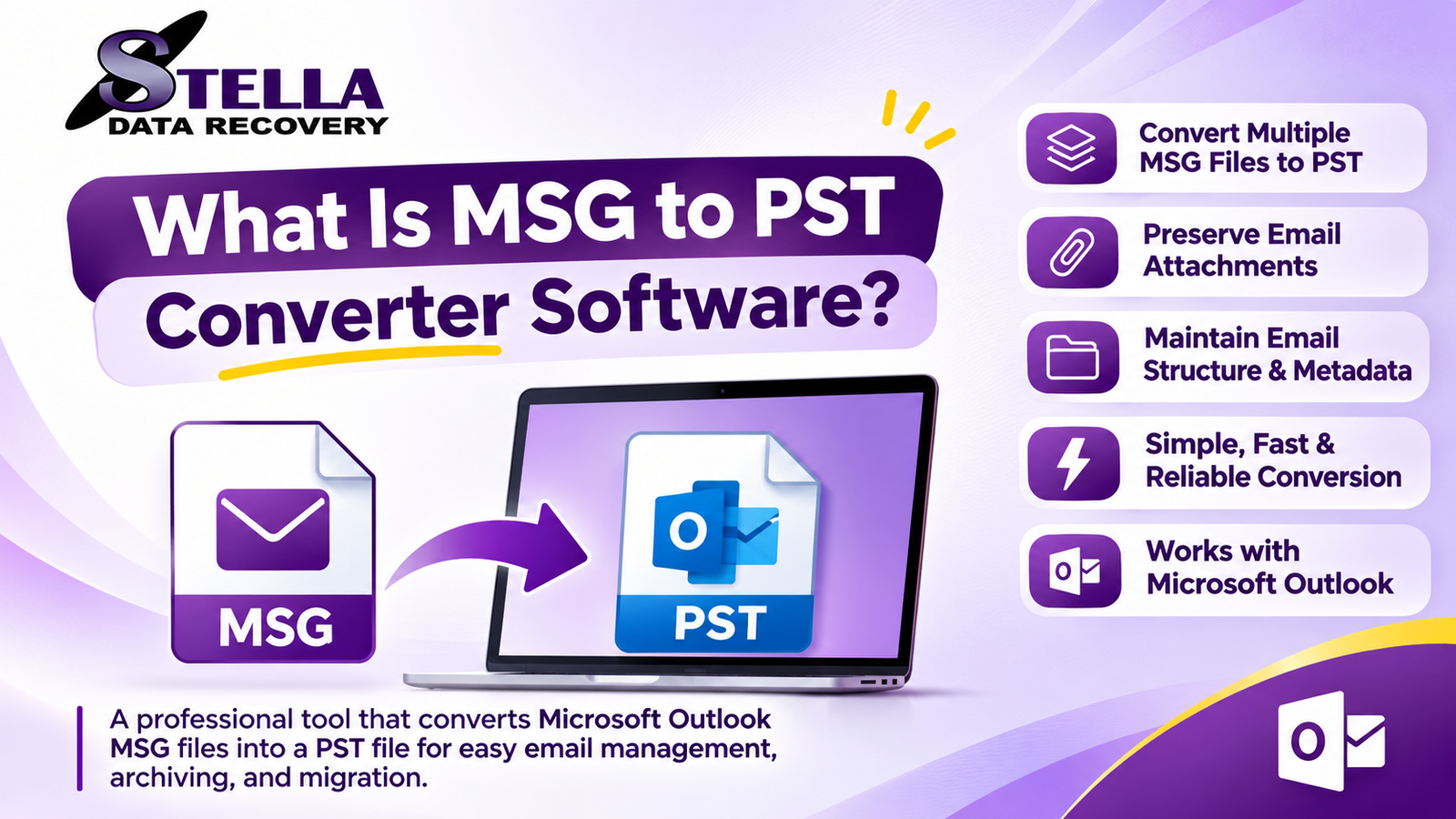
MSG to PST Converter Software is a specialized email conversion utility designed to convert Microsoft Outlook MSG files into PST (Personal Storage Table) format. It helps users combine multiple individual MSG email files into a single PST file that can be accessed through Microsoft Outlook.
Whether you are migrating email messages, organizing archived conversations, or consolidating business correspondence, an MSG to PST conversion tool can simplify the process while helping preserve important email information.
What Is MSG to PST Converter Software?
MSG to PST Converter Software is a dedicated application that converts MSG files into Outlook-compatible PST files. An MSG file generally stores an individual Outlook email message, including its subject, sender, recipient information, message body, date, and attachments.
In comparison, a PST file is an Outlook data file that can contain multiple email messages, folders, contacts, calendar items, and other supported Outlook information.
The primary purpose of an MSG to PST Converter is to transfer individual MSG email messages into a structured PST data file. Instead of manually handling each email, users can process multiple MSG files through a dedicated conversion utility.
This type of software is particularly helpful for IT administrators, business professionals, email migration specialists, and individuals managing large email archives.
Why Do Users Need MSG to PST Conversion?
Managing individual MSG files can become difficult when users have hundreds or thousands of saved email messages. Although MSG files are useful for storing individual Outlook emails, organizing them separately may create challenges.
Here are some common reasons users convert MSG files into PST format:
1. Centralized Email Management
Converting multiple MSG files into one PST file helps users manage email conversations from a centralized Outlook data file.
2. Outlook Compatibility
PST files are designed for use with Microsoft Outlook. Converting MSG files into PST format makes it easier to organize supported email messages within an Outlook mailbox or data file.
3. Bulk Email Conversion
Professional MSG to PST Converter Software may provide batch conversion capabilities, allowing users to process multiple MSG files together instead of converting them individually.
4. Business Email Archiving
Organizations frequently maintain email archives for documentation, internal communication, and business reference. PST conversion can help consolidate individual email messages into a more manageable archive.
5. Simplified Email Migration
When transferring archived email messages between systems or Outlook environments, converting MSG files into PST format can simplify the preparation of email data.
How Does MSG to PST Converter Software Work?
A professional MSG to PST conversion utility generally follows a straightforward workflow. Although the exact interface varies between applications, the overall conversion process typically includes these stages.
Step 1: Add MSG Files
Launch the conversion application and select the MSG files or folders containing the email messages you want to convert.
Step 2: Preview Email Information
Some tools provide an email preview feature. Users can inspect available message information, including subject, sender, recipient, message content, and attachments.
Step 3: Select PST as the Output Format
Choose PST as the destination format. Depending on the software, users may also select an output location and configure additional conversion settings.
Step 4: Start the Conversion Process
Initiate the conversion process. The software processes the selected MSG files and creates a PST output file.
Step 5: Import or Open the PST File
After conversion, users can open or import the resulting PST file into a compatible Microsoft Outlook environment.
Key Features of Professional MSG to PST Converter Software
When selecting an MSG to PST Converter, users should evaluate its technical capabilities, compatibility, and data-handling features.
1. Bulk MSG to PST Conversion
Bulk conversion is important for users managing large email archives. It allows multiple MSG files to be processed in one operation, reducing repetitive manual work.
2. Attachment Preservation
Business emails frequently contain important documents, spreadsheets, PDFs, images, and other attachments. A reliable converter should preserve supported attachments during conversion.
3. Email Metadata Preservation
Email metadata provides useful information about individual messages. A capable conversion tool should retain supported properties such as sender, recipient, subject, date, and message content.
4. Selective File Conversion
Selective conversion allows users to choose specific MSG files or folders instead of processing an entire archive.
5. Simple User Interface
A clear and easy-to-use interface helps beginners and technical professionals complete conversion tasks without requiring extensive technical knowledge.
6. Windows Compatibility
Before purchasing software, verify its compatibility with your Windows operating system and intended Outlook environment.
7. Folder Organization
Some converters support maintaining the original folder hierarchy during conversion. This can help users organize archived email messages after migration.
MSG to PST Converter Software vs Manual Conversion
Users can explore manual methods or choose specialized conversion software depending on their requirements.
| Comparison | Manual Method | Professional Software |
|---|---|---|
| Conversion process | Multiple manual steps | Guided workflow |
| Bulk conversion | May be time-consuming | Often supported |
| Email organization | Requires manual management | May support folder organization |
| Attachment handling | Depends on method | Designed for conversion |
| Technical knowledge | May require more effort | Often beginner-friendly |
| Large archives | Can be difficult | More convenient |
Manual methods may be sufficient when handling a small number of MSG files. However, specialized conversion software can be more convenient when processing large collections of email messages.
How to Choose the Best MSG to PST Converter Software?
Choosing the right conversion utility requires evaluating several technical factors.
- Conversion accuracy: Check whether the software preserves supported email properties and message content.
- Bulk processing: Select a tool that supports batch conversion if you manage multiple MSG files.
- Attachment support: Verify that email attachments are retained.
- Preview functionality: Look for an option to inspect MSG files before conversion.
- Compatibility: Check Windows and Outlook compatibility requirements.
- Security: Prefer software that processes confidential email data locally when this is an important requirement.
- Trial availability: Test the trial version using representative MSG files before purchasing a full license.
- Technical support: Check whether the vendor provides product documentation and customer assistance.
A practical evaluation should include testing several MSG files containing different attachments, message formats, and metadata.
Who Can Benefit from MSG to PST Converter Software?
MSG to PST conversion utilities can support different types of users.
IT Administrators: IT professionals can consolidate archived MSG messages into PST files for email management and migration projects.
Business Organizations: Companies can organize individual email records into centralized Outlook data files for easier access.
Email Migration Specialists: Migration professionals can use conversion tools when preparing archived MSG data for compatible Outlook environments.
Individual Outlook Users: Home and professional users can organize saved Outlook email messages into a single PST archive.
Legal and Documentation Teams: Teams managing business correspondence may find structured email archives useful for authorized recordkeeping and document management.
Is MSG to PST Converter Software Better Than Free Tools?
Free conversion methods may be suitable for occasional tasks involving a small number of MSG files. However, users managing extensive email collections may require additional capabilities.
Professional software may provide bulk conversion, selective file processing, preview options, attachment handling, and technical support.
The best choice depends on the number of MSG files, conversion requirements, available budget, and importance of data preservation.
Users should compare the actual features of individual products rather than assuming that every paid converter provides the same capabilities.
Common Challenges During MSG to PST Conversion
Although MSG and PST are both associated with Microsoft Outlook, conversion may involve certain technical challenges.
- Damaged MSG files: Corrupted or incomplete source files may not convert correctly.
- Missing attachments: Unsupported or damaged attachment data may affect conversion results.
- Large email collections: Processing thousands of files may require additional system resources.
- Outlook compatibility: PST files should be tested with the intended Outlook version.
- Folder structure: Not every conversion utility preserves the original folder hierarchy.
- Duplicate messages: Users should check whether duplicate emails are included in the source collection.
Creating a backup of the original MSG files before conversion is a recommended precaution.
Frequently Asked Questions (FAQs)
1. What is MSG to PST Converter Software?
It is a utility that converts individual Microsoft Outlook MSG email files into PST format for centralized email storage and management.
2. Can I convert multiple MSG files to PST?
Yes. Many professional MSG to PST conversion applications support batch conversion, allowing users to process multiple email messages together.
3. Can MSG files be converted to PST without Outlook?
Some dedicated conversion applications support MSG to PST conversion without requiring Microsoft Outlook to be installed. Always verify the software’s system requirements.
4. Will attachments remain intact after conversion?
A capable converter should preserve supported attachments. Users should test the output to verify attachment accessibility.
5. Is free MSG to PST Converter Software available?
Free tools and manual methods may be available, although their features and processing limitations vary. Professional software may provide additional conversion capabilities.
6. Is MSG to PST conversion safe?
It can be performed safely when users work with trusted software, retain original MSG files, and verify the resulting PST file before deleting any source data.
Conclusion
MSG to PST Converter Software provides a practical solution for converting individual Outlook MSG email files into a consolidated PST data file. It can simplify email organization, support archival workflows, and make managing multiple saved email messages more convenient.
For users handling large email collections, professional conversion utilities may offer useful capabilities such as bulk processing, attachment preservation, email preview, selective conversion, and folder management.
Before choosing a solution, evaluate its conversion accuracy, supported features, operating system compatibility, and trial version. A carefully selected MSG to PST Converter can make email consolidation more efficient while helping users maintain organized and accessible email archives.