Buy OST Contacts Converter Software: A Professional Solution to Extract Outlook Contacts
Introduction
Outlook contacts are essential for maintaining business relationships, managing customer information, and organizing professional communication. However, when Outlook data becomes inaccessible, an OST file is orphaned, or a mailbox needs to be migrated, extracting contact information can become challenging. In these situations, OST Contacts Converter Software can help users extract supported contact data from Outlook OST files and export it into a more accessible format.
If you want to buy OST Contacts Converter Software, choosing the right solution is important. A professional tool should offer reliable file processing, flexible export options, an easy-to-use interface, and compatibility with your system. Whether you are an individual user, an IT administrator, or a business professional, the right solution can simplify contact extraction and help maintain access to important address book information.
What Is OST Contacts Converter Software?
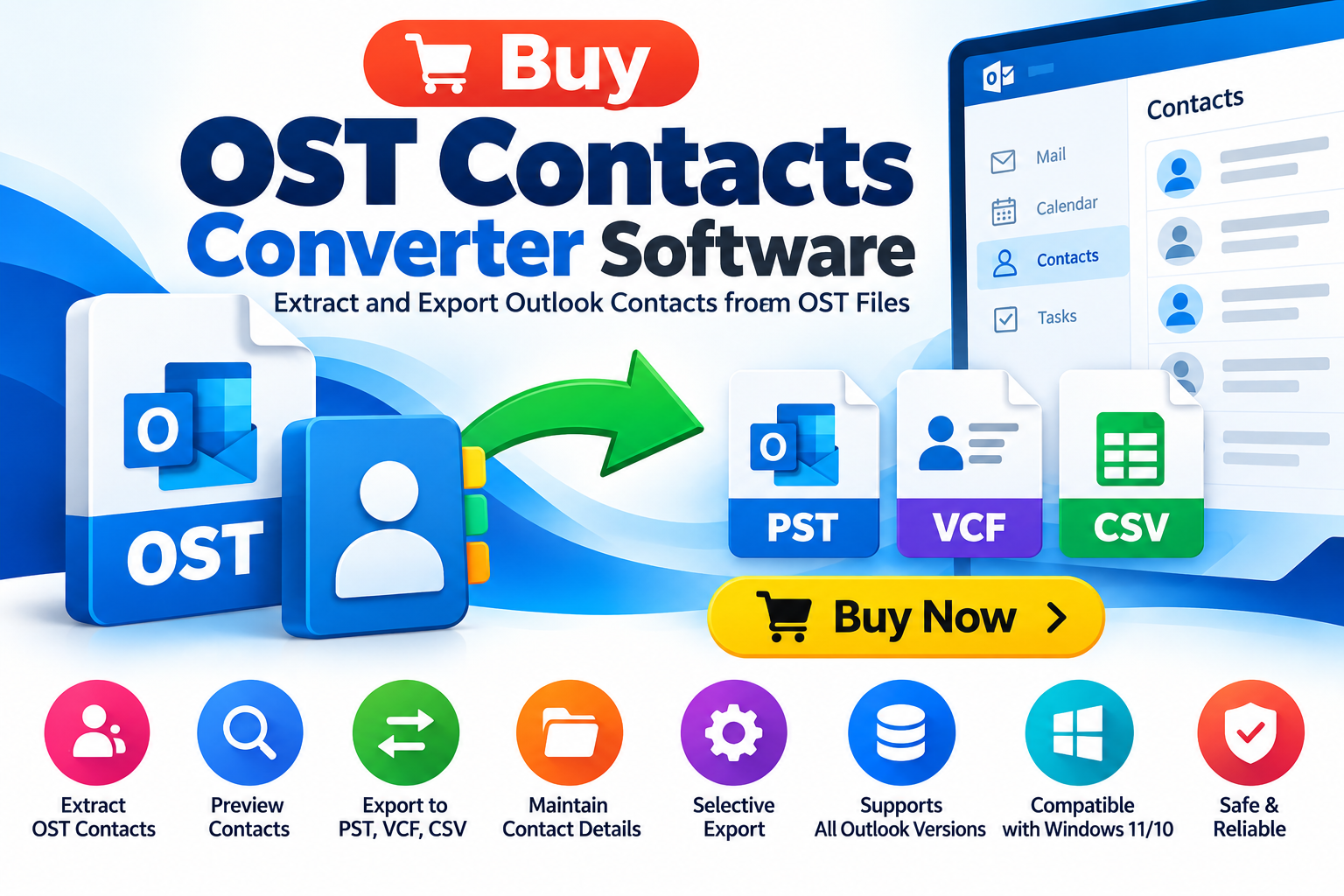
OST Contacts Converter Software is a specialized application designed to extract contact information stored in supported Outlook Offline Storage Table (OST) files. Depending on the software’s capabilities, users may be able to export contacts into formats such as PST, VCF, CSV, or other supported file types.
These formats serve different purposes. PST is commonly associated with Outlook data storage, VCF is widely used for sharing individual or grouped contact records, and CSV is useful for spreadsheet-based contact management.
A suitable converter can help users access contact data without manually recreating every record. However, the available features and supported OST conditions vary by product.
Why Buy OST Contacts Converter Software?
Manual contact recovery can be time-consuming, especially when the original Outlook profile is unavailable or the mailbox contains a large amount of data. Professional conversion software can provide a more structured approach.
1. Extract Contacts From OST Files
A converter can help retrieve supported contact records from an OST file. This is particularly useful when users need to recover address book information from an old mailbox or migrate contacts to another system.
2. Recover Contacts From Inaccessible Mailboxes
Sometimes, users cannot access their original Outlook profile because of profile corruption, account changes, or Exchange connectivity problems. Depending on the file’s condition and the software’s capabilities, an OST contacts extraction tool may help retrieve locally available contact information.
3. Export Contacts to Multiple Formats
Different users require different output formats. Before purchasing, verify whether the software supports the format you need.
- PST: For compatible Outlook data workflows.
- VCF: For transferring contacts between supported applications and devices.
- CSV: For spreadsheet-based contact management and supported import workflows.
Not every converter supports every format, so check the product specifications before buying.
4. Save Time During Contact Migration
Businesses may need to migrate contacts when changing computers, rebuilding Outlook profiles, or reorganizing email systems. A dedicated converter can reduce repetitive manual work when processing supported files.
5. Support Business Continuity
Customer details, supplier contacts, employee records, and professional addresses can be important business assets. Having a reliable method for extracting and preserving contact data helps reduce disruption during migration and recovery projects.
Key Features to Look for Before Buying
Not all OST contacts converters offer the same capabilities. Evaluate the following features before choosing a product.
Contact Preview
A preview function allows users to inspect available contact records before exporting them. This can help determine whether the required information is present in the source file.
Multiple Export Formats
Select software that supports your intended destination, whether you need PST, VCF, or CSV. Verify that the output format preserves the contact fields important to you.
Selective Contact Export
Selective export can be useful when you need only specific contacts rather than the entire mailbox. It may also help organize the migration process.
Batch Processing
If you manage multiple OST files, batch processing can reduce repetitive operations. Confirm the number of files supported and any applicable licensing limitations.
Compatibility With Windows and Outlook
Check the supported Windows versions and Outlook editions. Also determine whether the tool can process your OST file without requiring the original Outlook profile or active connection to the original Exchange account.
Data Integrity
A professional solution should provide clear processing results and useful error information. After exporting, users should be able to verify that contact names, email addresses, phone numbers, and other supported fields have been preserved.
Secure Data Handling
OST files may contain confidential business and personal information. Review the vendor’s privacy practices, local processing capabilities, temporary-file handling, and security documentation before using the software.
How to Convert OST Contacts Using Professional Software
Although the exact interface differs between products, the general workflow is straightforward.
Step 1: Locate the OST file. Identify the source file containing the required contact information. Create a backup before starting the conversion.
Step 2: Install the converter. Download the application from a reputable vendor and verify that your system meets its requirements.
Step 3: Add the OST file. Use the software’s file-selection option to load the supported OST file.
Step 4: Preview contacts. If the application offers a preview, inspect the available contact records and confirm that the required data is accessible.
Step 5: Choose the output format. Select PST, VCF, CSV, or another supported format according to your migration requirements.
Step 6: Select the destination. Choose a suitable folder with sufficient free storage space.
Step 7: Start the export. Run the conversion and monitor any warnings or errors reported by the application.
Step 8: Verify the output. Open the exported file using a compatible application and inspect representative records to confirm that important contact information is present.
For important business data, retain the original OST file until the exported contacts have been verified.
Who Should Buy OST Contacts Converter Software?
A professional OST contacts converter may be useful for several types of users.
- Business professionals: Recover or migrate important customer and supplier contacts.
- IT administrators: Extract supported contact data during mailbox migration or troubleshooting.
- Small businesses: Preserve address book information when changing computers or email environments.
- Data recovery specialists: Process supported OST files as part of an authorized recovery workflow.
- Individual Outlook users: Export available contact records for backup or migration purposes.
The best solution depends on the source file’s condition, the required output format, and the volume of contacts to be processed.
Free OST Contacts Converter vs. Paid Software
Free tools may be sufficient for simple tasks, but they can have limitations involving file compatibility, export formats, batch processing, technical support, or the amount of data that can be exported.
Paid software may offer additional capabilities, such as selective export, multiple output formats, batch processing, and vendor support. These features should be verified individually rather than assumed.
Before purchasing, test a representative OST file with the available trial version. Confirm whether the trial supports actual contact export or only file scanning and previewing. Compare the price, licensing terms, and supported features against your requirements.
Frequently Asked Questions
What is the best OST Contacts Converter Software?
The best solution is one that supports your OST file, offers the required output format, preserves the contact fields you need, and provides a reliable way to verify the exported results.
Can I convert OST contacts to VCF?
Yes, if your chosen converter supports VCF export. VCF is a common format for transferring contact information between compatible applications.
Can I export OST contacts to CSV?
Some converters support CSV export. This format is useful for spreadsheet-based workflows, but you should check how the software handles contact fields and special characters.
Can OST contacts be extracted without Outlook?
Some specialized converters can process supported OST files independently of the original Outlook profile. Requirements depend on the product and the source file’s condition.
Is free OST Contacts Converter Software available?
Some vendors provide free trials or limited versions. Review the export restrictions and verify the conversion results before deciding whether to purchase a full license.
Conclusion: Choose the Right OST Contacts Converter
Buying OST Contacts Converter Software can be a practical option when you need to extract, preserve, or migrate contact information from supported Outlook OST files. The right application should provide the output formats you require, clear conversion steps, appropriate compatibility, and dependable data-verification options.
Before making a purchase, compare features, test the trial version, and confirm that the software can handle your specific file. This approach helps reduce migration risks and avoids paying for features you do not need.
Ready to simplify OST contact extraction? Evaluate a professional OST Contacts Converter Software solution, verify its supported export formats, and choose the option that best matches your contact recovery or migration requirements.